DrumClock for iPhone, iPad & Android

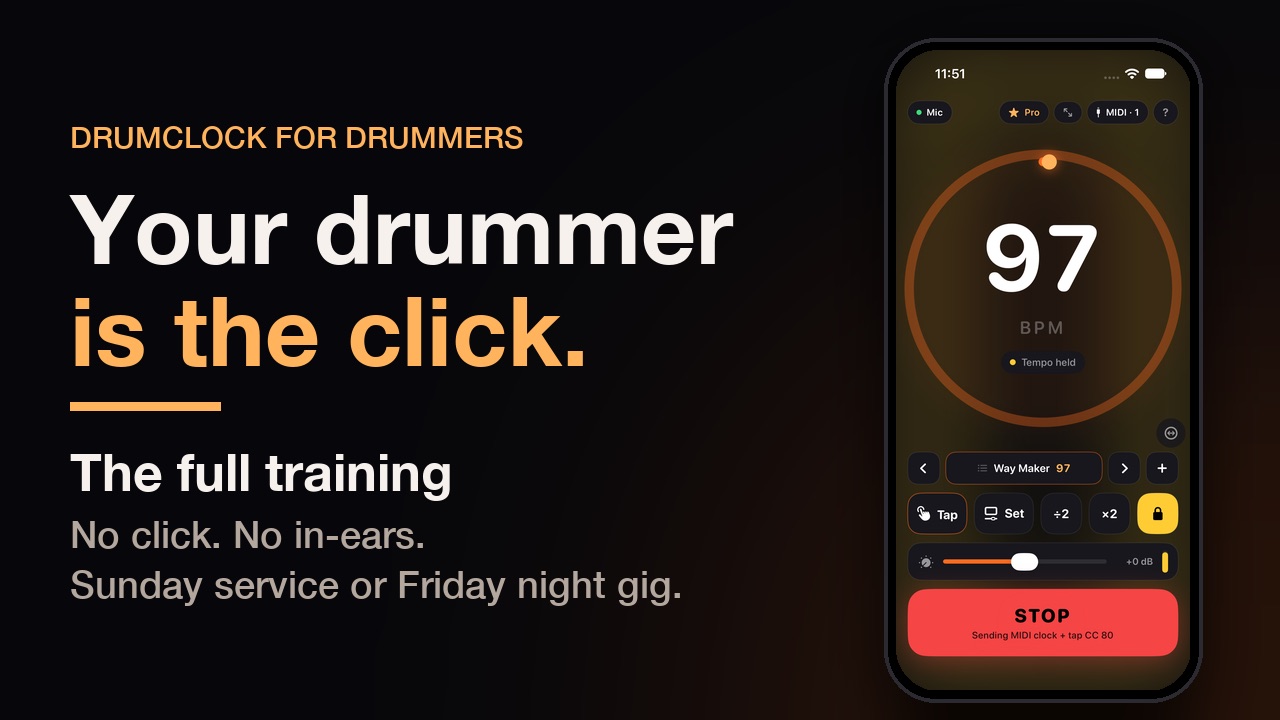
Your drummer is the click.

Most bands play to a click. Some musicians hate it, and plenty of bands have no in-ears, so they can't use one at all. DrumClock listens to the drums and sends the tempo to your keys rig, pedals and DAW — MIDI clock, tap tempo, or both. Delays and arps land on the drummer's time. No click track, no in-ears, no tapping.
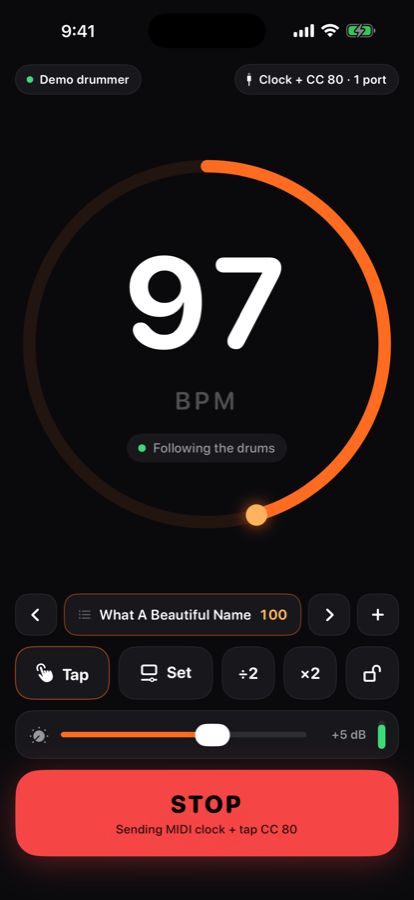
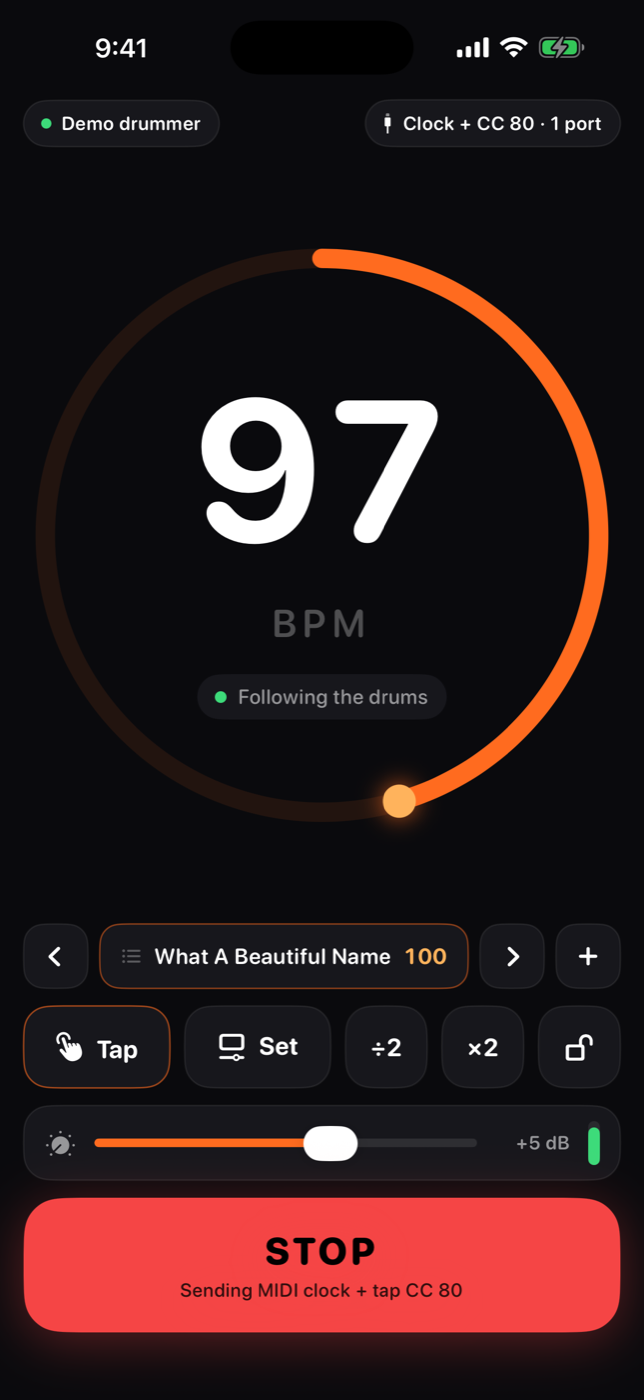
DrumClock on iPhone following the drums at 97 BPM

Who it's for

Two kinds of band, same problem: the keys player's delays are at one tempo, the drummer is at another.

1

Bands without in-ears

Most small churches, bar bands, school groups. No way to feed a click to the drummer, so time-based effects are guesswork. DrumClock makes the drummer the clock instead.

2

Players who hate the click

Pushing a chorus is the point. DrumClock follows a human drummer — push, lay back, fill, break — and the band's effects follow too. Nobody chases a metronome.

3

Keys players on Sunday Keys

Sunday Keys reads tap tempo, not clock. DrumClock taps it for you on every beat. MIDI Learn once; the delays and arps are in time all service long.

The Sunday Keys problem, solved

Sunday Keys can't take MIDI clock. It has a tap tempo you can MIDI-Learn, which means somebody has to tap it — every song, every service — or the delays and arps run at whatever the last song was. DrumClock is the thing that taps it.

1

Turn on Tap tempo CC

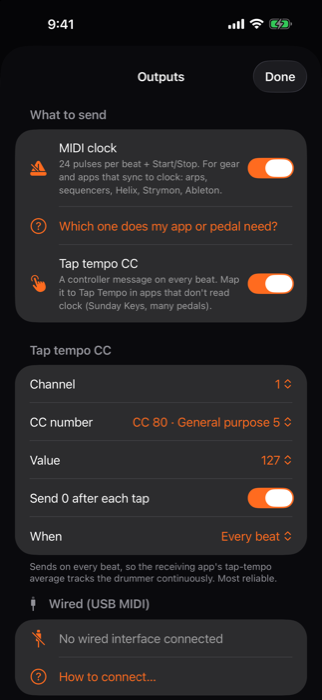
In DrumClock's Outputs. It sends a controller message on every beat, on the drummer's time. Clock can stay on too for anything else in the rig.

2

MIDI Learn it once

Sunday Keys → MIDI Learn → Tap Tempo, then tap “Send 4 test taps” in DrumClock. Done. The mapping sticks.

3

Play

Every beat, DrumClock taps the tempo for you. Same iPad through the DrumClock port, or from a phone in the drum cage through a USB MIDI interface (a Roland UM-ONE into the pedals or the keys interface). Delays, arps and tremolo follow the drummer all service long.

Sunday Keys is a product of Sunday Sounds. DrumClock is an independent app and is not affiliated with or endorsed by Sunday Sounds.

How it works

Put a phone by the kit. That's the whole setup.

🥁DrumsPhone in the cage or on a stand, or a kick/snare mic through a USB interface.
👂DrumClock listensCount-off lock before beat one. Then it follows the drummer — drift, fills and breaks included.
🔌MIDI outClock (24 ppqn + Start/Stop) and/or a tap-tempo CC on every beat. Wired, same iPad, network or Bluetooth.
🎹Your rigSunday Keys, Helix, Strymon, Ableton, synth arps — anything with a clock input or a tap you can MIDI-map.

Built for a stage, not a studio

Stick count-off

Three or four clicks on the sticks and the tempo is set, with beat one exactly where the drummer put it. Delays are right from the first downbeat.

Follows, smoothly

The clock eases toward the drummer, never jumps. Hi-hat subdivisions, fills and ghost notes don't throw it. A break holds the last tempo until the drums return.

Presets in set order

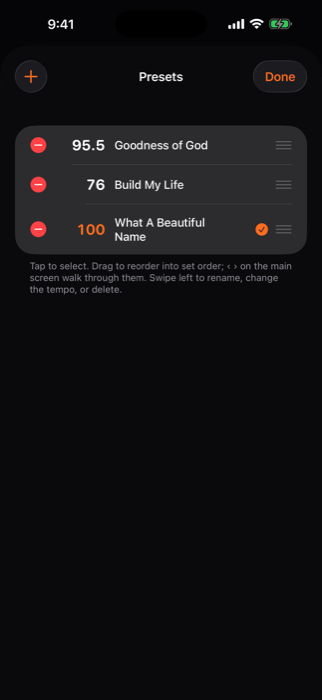
Name a tempo for every song, drag them into set order, step through with ‹ › or a page-turner pedal. Tap a song and the clock is there.

Exact tempo and Hold

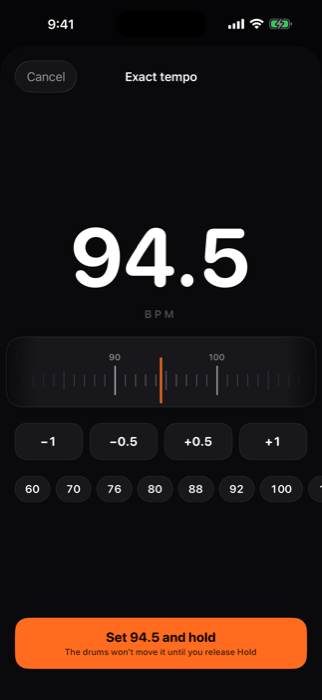
Drag a ruler to the number you want and hold it. Hold also freezes the clock through a rubato bridge or a drum solo.

Loud drummer? Gain.

A gain control with a clip meter. iOS automatic gain is off while DrumClock listens, so what you set is what it hears.

Connection guides

Step-by-step for every transport, plus what to set in Sunday Keys, Helix, Strymon, Ableton, MainStage and synth arps.

Count it in
Count it in
Exact tempo ruler
Exact tempo
Presets list
Presets, in set order
Outputs
Clock, tap CC, or both

Every way out, with the honest trade-offs

The app tells you the same thing before you pick one.

TransportBest forClockTap CCLimits
Wired USB MIDISunday morning. Interface + powered hub + 5-pin cable (or DIN-to-XLR through a snake channel).TightTightNeeds a hub that passes charging.
Same-device portSunday Keys on the same iPad. Pick “DrumClock” as the MIDI input.TightTightBoth apps share one audio interface.
Network MIDIA Mac running Ableton or MainStage; long runs over Ethernet.Ethernet good, Wi-Fi so-soFineiPad-to-iPad needs an RTP-MIDI app on the receiver.
Bluetooth MIDIRehearsal. No cables.JittersFineShort range; drops if a device sleeps.

On the iPad: a stage console

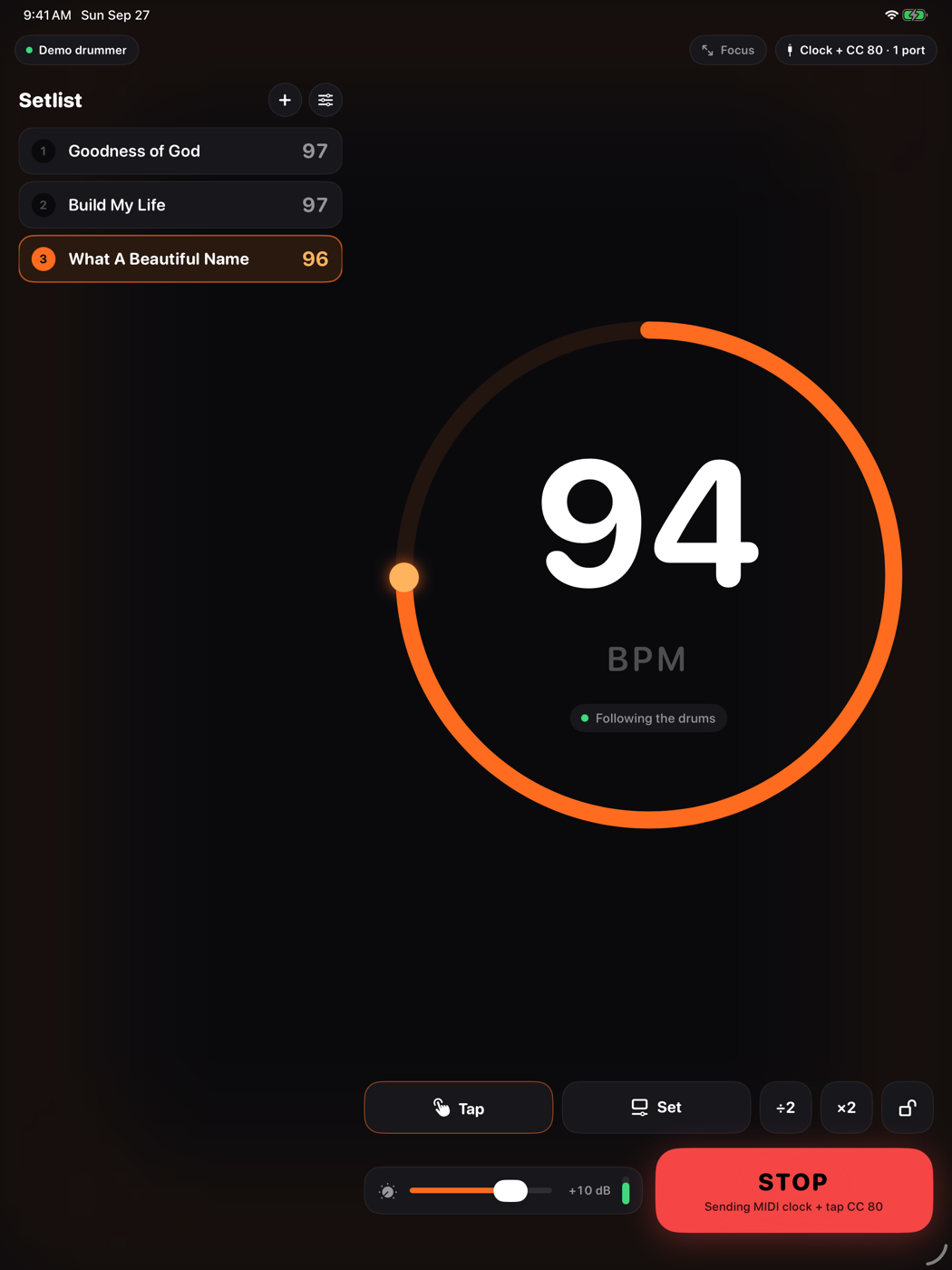
Setlist on the left, tempo on the right, big enough to read from the drum throne. Focus mode is just the number and the pulse for a music stand. Split View next to Sunday Keys works, and so does a hardware keyboard or foot pedal: space to start, arrows for the next song.

DrumClock stage console on iPad with a setlist

Pricing

Everything is on for 14 days. After that, the free tier stays useful and Pro costs about what a cable does.

Free

$0
  • Tempo detection, pulse and count-off
  • Tap, exact tempo, Hold
  • Presets and connection guides
  • 10 minutes of MIDI output a day — enough to map tap tempo and rehearse a song

Pro

$49.99 once
or $19.99 / year
  • Unlimited MIDI output, all service long
  • Every transport
  • One purchase covers iPhone and iPad
  • Everything that comes next

Watch

Forty-five seconds on how it works, then eleven minutes from the drum throne: where the phone goes, counting it in, Hold, and building your set list. Sunday service or Friday night gig.

Your drummer is the click: how DrumClock works (45 s)

DrumClock for drummers: the full training, on YouTube

DrumClock for drummers: the full training (11 min, YouTube)

Questions

Does Sunday Keys take MIDI clock?

No, but it reads tap tempo. Turn on “Tap tempo CC” in DrumClock's Outputs, then MIDI Learn Tap Tempo in Sunday Keys while DrumClock sends test taps. Every beat after that, DrumClock taps it for you. The in-app guide walks through it.

Does the drummer need to count in?

No. If there's a count-off, DrumClock locks before beat one. If there isn't, it locks within a couple of bars like any beat tracker. Hold or a preset covers everything else.

Will a drum fill or a stop throw it off?

Fills and ghost notes land between beats and are ignored. A break holds the last tempo; the clock keeps running and the tracker picks the beat back up when the drums return. For a rubato section, tap Hold.

What about half-time and double-time?

Beat trackers can pick the wrong octave. ÷2 and ×2 fix it with one tap, and the tracker folds back into a sensible range on its own if a count-off was read at double time.

Which hardware do I need for wired?

A class-compliant USB MIDI interface (Roland UM-ONE mk2, iConnectivity mio, or an audio interface with MIDI out), a USB-C hub with power passthrough, and a 5-pin cable. For long runs, DIN-to-XLR adapters through a spare channel of the stage snake.

Does any audio leave the phone?

No. Audio is analysed on the device and never recorded, stored or uploaded. No accounts, no ads.

Your drummer is the click.

Free to try for 14 days. iPhone, iPad and Android.

Download on the App Store Get it on Google Play